Local AI Software Setup
Step-by-step setup for LM Studio, Ollama, Open WebUI, document AI, RAG workflows, and private local models.
- LM Studio
- Ollama + Open WebUI
- Document AI / RAG
- Image generation
PCBuyer Intelligence Platform
PCBuyer helps you check your current PC, choose an AI-ready system, or build your own computer for local AI applications.
Use one focused tool at a time. The readiness checker stays private and browser-safe.
Check your current computer using a browser-safe estimate, then enter exact specs for a stronger score.
This runs only in your browser. It does not read your files, scan folders, inspect documents, or upload hardware details unless you manually submit the form below.
Windows: Start → Settings → System → About → Processor.
Right-click Start → Device Manager → Display adapters, or open Task Manager → Performance → GPU.
Windows: Start → Settings → System → About → Installed RAM.
Desktop → Display settings → Advanced display → Display adapter properties → Dedicated Video Memory.
These steps only help you find what to type into the form. PCBuyer does not read files, scan folders, or inspect installed software.
Answer a few questions and PCBuyer will recommend an AI PC tier for your workload.
Check whether your system is in the right range for popular local AI model sizes.
Top product profiles for local AI workloads. Use this as a starting point, then verify exact specs and prices.
| Product | Best for | RAM | GPU / VRAM | AI Tier | Best Price | Action |
|---|---|---|---|---|---|---|
 Apple iPad Air M2 Apple iPad Air M2 | AI-ready buying candidate | 128GB | Apple integrated GPU | Creator AI | USD 496.99 | View Offers |
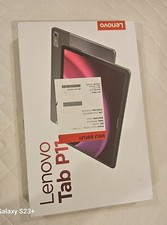 Lenovo Tab P Series Lenovo Tab P Series | AI-ready buying candidate | 128GB | Integrated graphics | Creator AI | USD 280.00 | View Offers |
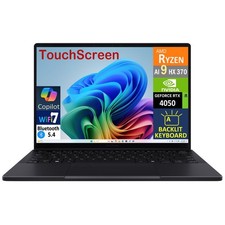 ASUS ProArt Creator Laptop ASUS ProArt Creator Laptop | AI-ready buying candidate | 32GB | NVIDIA RTX class | Local AI Starter | USD 2,579.99 | View Offers |
 Lenovo Yoga Pro Creator Laptop Lenovo Yoga Pro Creator Laptop | AI-ready buying candidate | 32GB | Integrated or NVIDIA RTX class | Local AI Starter | USD 1,500.00 | View Offers |
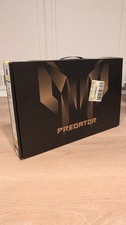 RTX 4070 Gaming Laptop RTX 4070 Gaming Laptop | AI-ready buying candidate | 16GB | NVIDIA RTX 4070 Laptop GPU | Serious AI | USD 1,200.00 | View Offers |
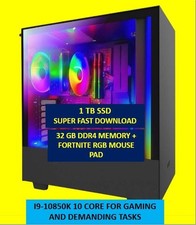 RTX 4070 Desktop Workstation RTX 4070 Desktop Workstation | AI-ready buying candidate | 32GB | NVIDIA RTX 4070 | Serious AI | USD 925.00 | View Offers |
These two sections are the practical learning path behind the buying guidance.
Step-by-step setup for LM Studio, Ollama, Open WebUI, document AI, RAG workflows, and private local models.
A beginner-friendly lesson path that teaches visitors how local AI works, what hardware matters, how to install tools, download models, use RAG, and understand image generation.
CPU, RAM, storage, and NPUs matter, but VRAM or unified memory usually determines which local models you can run comfortably.
Good for AI chat, coding helpers, and smaller local models.
$600 – $1,000View DetailsBetter for 7B–13B models, SD workflows, and stronger experimentation.
$1,200 – $2,000View DetailsFor video, image generation, 3D, upscaling, and advanced local work.
$2,000 – $4,000+View DetailsFor document search, private automation, and multi-user workflows.
$4,000+View DetailsVisible answers help buyers, search engines, and AI summaries understand the page.
For light local AI, 6–8GB can work. For serious local LLMs and image generation, 12GB, 16GB, 24GB, or more is better.
Yes, but laptop thermals, power limits, RAM, and GPU VRAM matter. A strong desktop is usually faster and easier to upgrade.
An NPU helps with some efficient built-in AI features. It is not a replacement for a GPU with strong VRAM for larger local models.
NVIDIA currently has the broadest CUDA-based tool support. AMD can work, but support varies by tool and operating system.
16GB is a minimum for basic use. 32GB is a stronger starting point. 64GB or more helps larger models and heavier workflows.
Yes. Apple Silicon Macs can run local AI well, especially with enough unified memory. Model size still depends on available memory.
RAM is system memory. VRAM is GPU memory. For serious local AI, VRAM is often the first bottleneck.
Yes, but the model size, quantization level, RAM, VRAM, and tool choice determine whether it runs well.
Build for upgradeability and performance per dollar. Buy prebuilt for convenience, warranty, and faster setup.
They can be good values if the GPU, RAM, storage, and power supply fit the intended workload.
You need internet to download tools and models. After setup, many local models can run offline.
The best budget choice depends on workload. For local AI, prioritize GPU VRAM, then RAM and fast storage.